PRODUCT / AI TRANSCRIPTION
Turn speech into timed subtitles.
Prepare interviews, training videos and recurring media batches for language review. Transcribe video or audio in 99 languages, with word-level timing and an editable first draft.

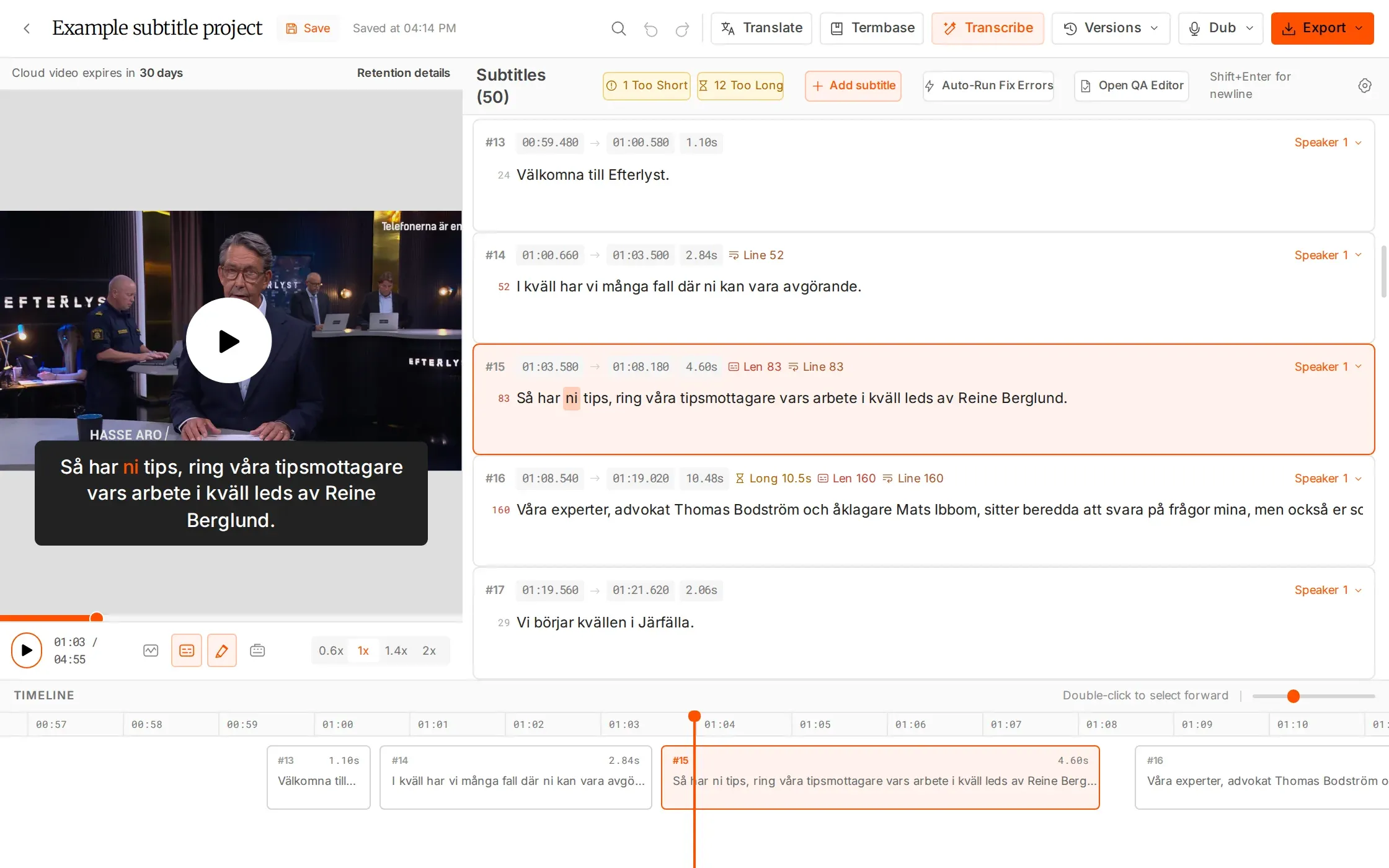
A first pass built for production.
Batch the source files. Keep the review in human hands.
Work across 99 languages
Detect the source language automatically, including mixed-language content, and keep word-level timing.
Keep batches moving
Upload files up to 2 GB and run Transcribe All in the background. Receive an email when a long file is ready.
Repair only what is missing
Use Transcribe gap to fill missing speech. Automatic timing cleanup and smart line breaking prepare the draft for review.
WHAT YOU CAN DO
Prepare a first draft your team can refine.
Give names and terminology a head start
Assign a project termbase with names, brands and specialist vocabulary before transcription. Each list holds up to 100 terms. Your reviewer can spend more attention on meaning and delivery requirements instead of correcting the same terminology repeatedly.
Process a file or a production batch
Upload video or audio up to 2 GB per file. Transcribe a single source or use Transcribe All for a batch; processing continues in the background, with an email when a long file is ready.
Begin with words connected to time
Automatic language detection supports mixed-language material, while word-level timing, timing cleanup and smart line breaking prepare the subtitle draft. Open it in the editor to check what was said against what can be heard.
Fill missing speech without restarting
Use Transcribe gap when a section of speech is missing from the track. Review the inserted text and timing in context, then continue editing the existing version instead of starting a whole new transcription.
HOW IT WORKS
From source audio to a timed draft.
Give the AI useful context, then put the draft in front of the person who knows the language.
Upload your material
Add video or audio up to 2 GB. Assign a project termbase for names, brands and specialist vocabulary.
Run one file or a batch
Transcribe a single file or use Transcribe All. Processing continues in the background.
Check and refine
Review the words and timing against the picture. Fill gaps, edit lines and run QC before delivery.
IN YOUR WORKFLOW
From raw recordings to a reviewable queue.
Interview footage with specialist language
Add the speakers’ names, organization names and technical terms to a project termbase. Transcribe the recordings, then let a reviewer check names, meaning and timing against the picture.
WHY IT HELPS
Give the reviewer a timed starting point with the project’s vocabulary in context.
A batch of training videos for localisation
Upload the source files together and run Transcribe All. Review each draft when it is ready, then create target-language versions from the checked subtitles.
WHY IT HELPS
Prepare the source work while the team continues with other files.
Transcription uses 1× source duration: a 60-minute recording uses 60 AI minutes. Reviewing and manually editing the draft do not use additional AI hours.
FAQS
Have questions? Find answers.
Have more questions?
Reach out to our friendly support team
How many languages are supported?
AI Transcription supports 99 languages, with automatic source-language detection and support for mixed languages.
What can I upload?
Upload video or audio files up to 2 GB.
Can I process several files?
Yes. Batch upload your files and use Transcribe All to process them in the background.
Can I transcribe only a missing section?
Yes. Transcribe gap fills in speech that is missing from the subtitle track.
Do termbases help transcription?
Yes. Assign a termbase to a project to help recognise names, brands and specialist terms. Termbases do not control translation.
How many hours does transcription use?
Transcription uses AI hours at 1× the source duration. A 60-minute video uses 60 minutes from your hours balance.
Give your next job a better first pass.
Start with 30 free minutes. No card required.