Skip navigation
BACKED BY LINEARIS(opens in a new tab)

The subtitling workspace for localisation teams.

Create and translate subtitles with AI. Bring project managers, language specialists and client reviewers into one workspace, without extra paid seats.

Subtitle Studio preview
  • LMT
  • Delfi
  • Encompass
  • Latvijas Digitālais Akselerators
  • Starptautiskā Inovāciju skola

THE PROBLEM

The language work is complex. The handoff shouldn’t be.The language work is complex. The handoff shouldn’t be.

  • Versions in too many places

    Language versions end up in exports, email threads and shared drives. Nobody is sure which file is current, so reviews start from the wrong one.

  • Handoffs that lose context

    Every handoff strips out the brief, the deadline and the decisions behind the edits. Specialists rebuild that context before they can start.

  • Seats that add friction

    Bringing in a reviewer or a vendor means another paid seat and another login. Teams work around it with attachments instead.

THE SOLUTION

More control from the first draft to the final language.

CREATE THE FIRST PASS

Start with the speech. Keep the context.

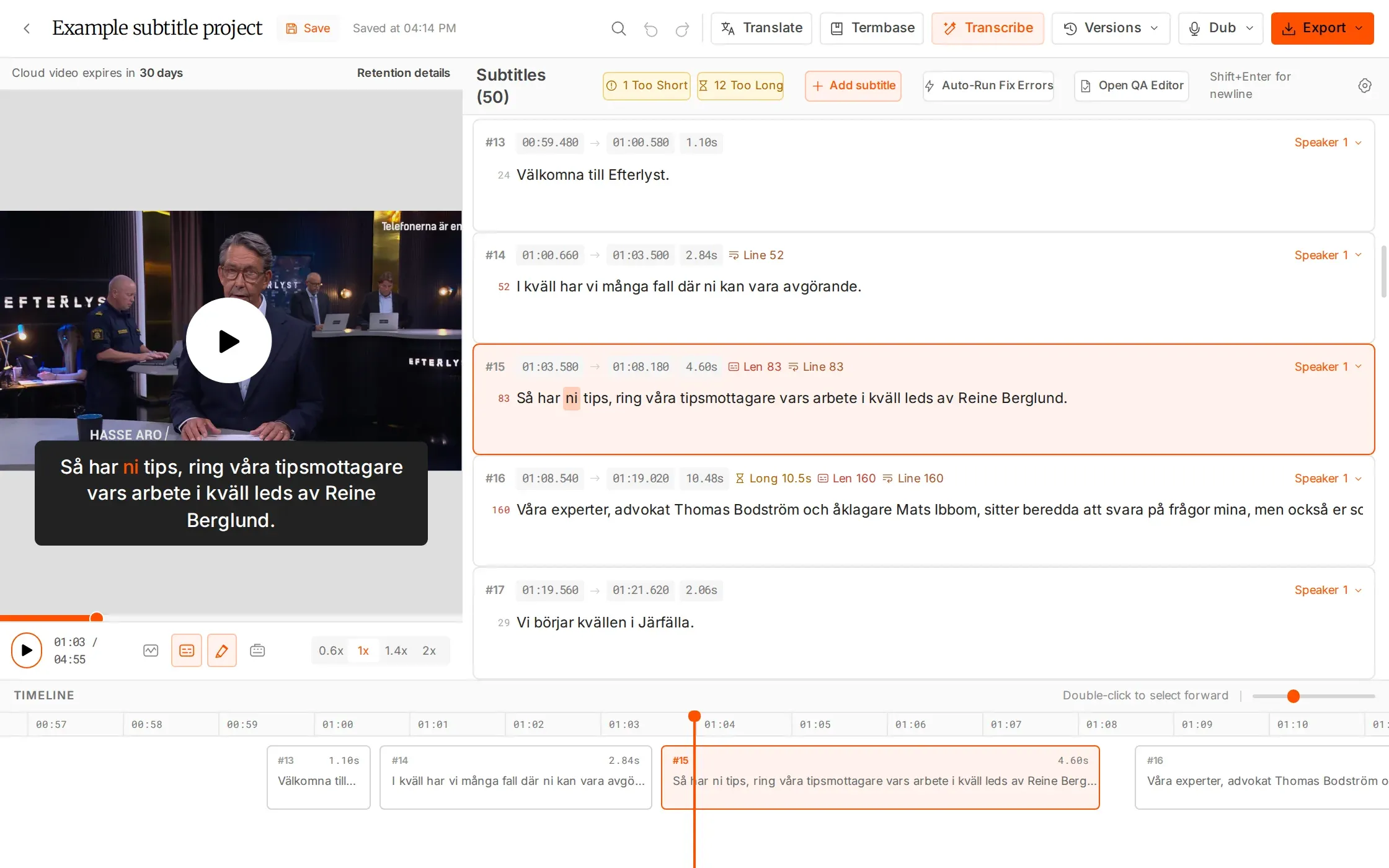
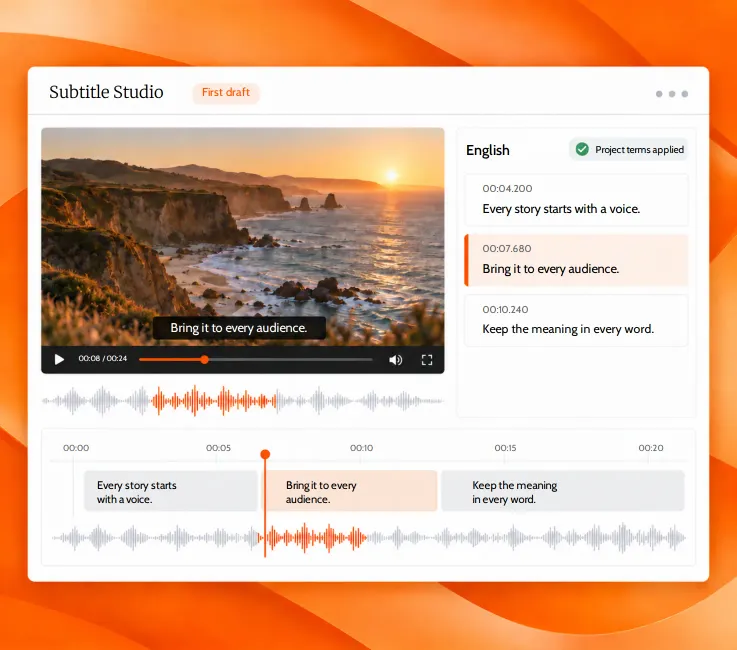
Transcribe source media, refine the words against the picture and give your specialists a timed starting point.

  • 99 transcription languages
  • Word-level timing and smart line breaks
  • Project termbases for specialist vocabulary
Subtitle Studio: video preview with a subtitle, the English cue list and the timeline with waveform

COORDINATE THE HANDOFF

Assign the language. Send one link.

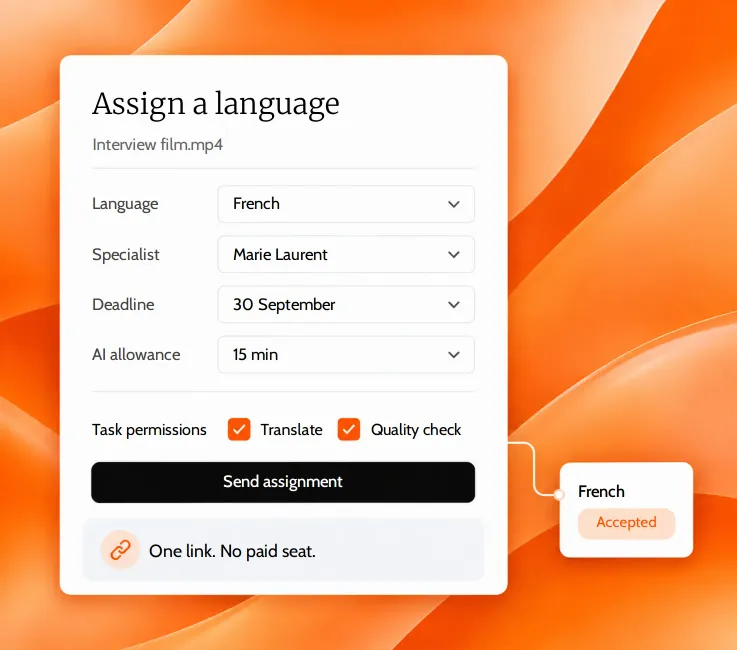
Give an external specialist the exact version, deadline and tools they need. Keep the work connected without buying a paid seat.

  • Deadlines and notes per assignment
  • Task permissions and AI allowances
  • Offered → accepted → finished
The Assign a language dialog: French, specialist, deadline, AI allowance and task permissions, with the assignment accepted

KEEP PROGRESS VISIBLE

Know which version needs the next step.

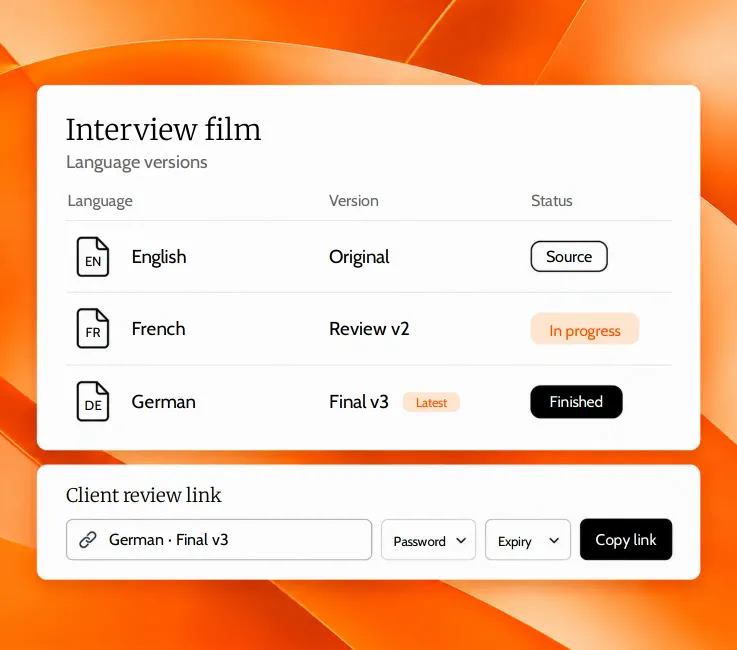
Keep languages and named versions together. Follow vendor status and see when a client has opened or edited a review link.

  • Named versions grouped by language
  • Latest version clearly marked
  • Links with password, expiry and revoke
A project’s language versions (English original, French review, German final) and the client review link with password and expiry

IMPACT

Impact you can measure.

  • 1 link

    Simple handoffs

    Send specialists straight to their language version.

  • 0

    Additional paid seats

    Bring your whole team and external specialists into the workspace.

  • 4×

    Faster turnaround

    Move from the AI first pass to review and delivery in one place.

  • Lower

    Localisation costs

    Reduce manual work and file handoffs, without per-seat fees.

CAPABILITIES

Keep every language, specialist and delivery connected.

  • Vendor Management

    Assign a language version with a deadline, permissions and an AI allowance. Follow each specialist’s progress in the same project.

    EXPLORE FEATURE
  • Real-time Collaboration

    One person edits while the team sees changes live. Hand over when the version is free, with no conflicting saves or extra paid seats.

    EXPLORE FEATURE
  • Client Review and Sharing

    Share the exact version through one link. Let clients review or edit without an account, with optional passwords, expiry and revocation.

    EXPLORE FEATURE
  • SDH Editing Tools

    Add speaker labels and edit bracketed cues in the timeline. Automatic sound tags and automatic SDH speaker labelling are coming soon.

    EXPLORE FEATURE
  • Bulk Translate

    Translate up to 20 SRT or TXT files into any of 99 languages. Add instructions for tone and terminology, then download the results as a ZIP.

    EXPLORE FEATURE
  • FPS Converter

    Convert subtitle timing between standard or custom frame rates. Process up to 20 files together and download a ZIP for delivery.

    EXPLORE FEATURE
  • SRT Merge

    Combine subtitle files from separate parts into one timeline. Automatic timing offsets carry each part forward without merging the videos.

    EXPLORE FEATURE

PRODUCTS

From the first draft to the final language.

Transcribe, translate, refine and dub in a shared workflow. Use the tools your project needs, with human judgment at every delivery point.

  • Subtitle Studio

    The complete workflow

    Your browser-based production desk. Keep transcription, editing, translation, quality checks and dubbing together.

    EXPLORE PRODUCT
  • AI Transcription

    Start from the source

    Turn media into a timed first draft in 99 languages, with word-level timing and batch processing.

    EXPLORE PRODUCT
  • AI Translations

    Build each language version

    Create separate language versions in 99 languages, with neighboring-line context and selected-line control.

    EXPLORE PRODUCT
  • AI Dubbing

    Take the story into voice

    Create multilingual voiceover in 32 languages. Work with speaker detection or chosen speaker counts, and download MP4 and SRT.

    EXPLORE PRODUCT
  • Timeline Editor

    Make the details work

    Refine timing against the waveform, split and merge subtitles, and review the words against the video.

    EXPLORE PRODUCT
  • AI Resync and Re-split

    Recover the right timing

    Align existing subtitles to the audio or rebuild line breaks to your delivery limits. Keep the original version.

    EXPLORE PRODUCT
  • QC (Quality Control)

    Check before you deliver

    Review eight adjustable subtitle checks, find overlaps, move through issues and apply fixes before delivery.

    EXPLORE PRODUCT

BUILT AROUND THE WORK

A clearer workflow for every delivery.

  • Recurring video batches

    Prepare the first pass across multiple files, then move each language into specialist review.

  • Multilingual releases

    Keep source, translated subtitles and dubbed outputs together as versions of the same project.

  • External specialist teams

    Assign the language version, deadline, task permissions and AI allowance in one handoff.

  • Training and learning

    Localize recurring lessons while keeping terminology context and review responsibilities clear.

  • Broadcast delivery

    Review timing, reading speed and formatting with adjustable QC, then export SRT, WebVTT or EBU STL.

  • Back-catalogue work

    Resync existing SRTs and re-split the lines to your limits while keeping the original version.

PRICING

Pay for the processing. Bring the whole team.

Start free with your own subtitles, then add the AI hours your workflow needs. Team workspaces have no seat limits. No card required.

  • Free

    For your own subtitles

    €0/month

    Plan rates
    Included30 min trial
    Effective rate—
    Extra hoursOn paid plans
    START FOR FREE

    What’s Included

    • Timeline editing, QC & Re-split
    • In-editor translation & language versions
    • Unlimited team members
    • Vendor & client collaboration
  • Starter

    For occasional projects

    €20/month

    Plan rates
    Included3 h
    Effective rate€6.67/h
    Extra hours€7/h
    START FOR FREE

    Everything in Free, plus

    • 3 AI hours every month
    • 99-language AI transcription
    • AI Resync at 0.3× duration
    • Bulk Translate & utility tools
    • Extra hours at €7/h, never expire
  • Growth

    POPULAR

    For regular production

    €50/month

    Plan rates
    Included8 h
    Effective rate€6.25/h
    Extra hours€5.50/h
    START FOR FREE

    Everything in Free, plus

    • 8 AI hours every month
    • 99-language AI transcription
    • AI Resync at 0.3× duration
    • Bulk Translate & utility tools
    • Extra hours at €5.50/h, never expire
  • Pro

    For higher-volume workflows

    €100/month

    Plan rates
    Included20 h
    Effective rate€5.00/h
    Extra hours€4/h
    START FOR FREE

    Everything in Free, plus

    • 20 AI hours every month
    • 99-language AI transcription
    • AI Resync at 0.3× duration
    • Bulk Translate & utility tools
    • Extra hours at €4/h, never expire

AI Dubbing is billed separately.

Not included in the plan hours above.

Save 15% with yearly billing.
Purchased extra hours never expire.

Card payments through Stripe.
Cancel any time in the billing portal.

CONTROL & TRUST

Know how the work is handled.

  • Controlled sharing

    Add a password or expiry date to a link, and revoke it at any time.

  • Clear video retention

    Videos are deleted after 30 days. Subtitles are kept.

  • ISO Certified

    ISO 9001 · ISO 27001

FAQS

Have questions? Find answers.

Have more questions?

Reach out to our friendly support team

CONTACT US
What is clipsubs?

clipsubs is an AI-assisted collaborative multimedia localisation platform. Create multilingual subtitles and voiceover, then keep editors, external specialists and client reviewers connected to the right language version.

Can I work with external specialists without paying for seats?

Yes. Assign a language version with a deadline, note and AI hours allowance. The specialist receives an invitation and works through a vendor portal. Team workspaces have no seat limits.

Can several people work on the same version?

One person edits a version at a time while others can watch changes live. Another editor can take over when it is free. Save-conflict protection helps prevent overlapping edits from overwriting the work.

Can clients review without an account?

Yes. Share a specific version by link. You can add a password or expiry, revoke access, and see whether the version has been opened or edited.

Which languages and files are supported?

Transcription and translation support 99 languages; AI Dubbing supports 32. Import subtitle files as SRT and export SRT, WebVTT or EBU STL. Media uploads can be up to 2 GB.

How do I try it, and what happens to my files?

New accounts include 30 free minutes with no card required. Videos are deleted after 30 days; subtitle versions are kept. Free covers your own subtitles at no cost; paid plans start at €20/month for 3 AI hours. Extra-hour rates depend on your plan and purchased hours never expire. AI Dubbing is billed separately.

Start with one job. See what changes.

Try 30 free minutes on your own content. Bring in a specialist, follow the handoff and keep the work moving.