
Volume multiplies mistakes
A series in twelve languages is not twelve separate jobs. It is one job with twelve copies of every decision made at the source. If a character’s name is misheard in the source transcript of episode one, it is wrong in twelve translations, and twelve specialists will each fix it in their own way or not notice at all. Stretch that across a season and the thread is lost: the same name spelled three ways across languages, a term translated one way in episode two and another way in episode seven, and a producer who cannot tell which language is ready.
The old way made this worse. Each language travelled as its own file, often through its own email thread, and a correction made to the source after translation had started had to be sent again to everyone. Some specialists got it and some did not.
The argument here is that multilingual work stays coherent when three things are true: the source is right before translation starts, each language is a separate version with one owner, and review happens per language on the version itself. Then the volume is manageable, because the work grows by languages, not by confusion.

- 01 / SOURCECheck
- 02 / DRAFTSTranslate
- 03 / OWNERSAssign
- 04 / MARKETSReview
Get the source right first
Every language inherits the source, so the source deserves the most care. In clipsubs, transcription supports 99 languages with automatic language detection, including mixed-language material, and word-level timing. Files up to 2 GB can be uploaded together and processed with Transcribe All in the background, so a whole batch of episodes can be drafted at once.
Names and terms are where the source most often goes wrong, and that is where termbases help. A project termbase holds names, brands and specialist vocabulary, up to 100 terms per list, and the files in the project use it during transcription. It is important to be precise about what a termbase does: it guides transcription, not translation. Its job is to get the names right in the source, so every language starts from the correct spelling. Termbases can be shared across the organisation, so a recurring series keeps the same list from one batch to the next.
Then a specialist checks the source against the picture before any translation runs. An hour spent here saves the same correction in every language.
“Twelve languages do not create twelve problems. They copy one problem twelve times, unless you catch it at the source.”
Lauris Zemturis, founder of clipsubs
Translate in the editor, or in a batch
There are two ways to create the translated drafts, and they suit different moments.
In-editor translation is free. It translates a whole version or only the lines you select, detects the source language automatically, and considers neighbouring lines together so the draft follows meaning across the subtitle sequence rather than line by line. Translation runs on OpenAI and Google Gemini models. Each translated language is saved as a separate version and does not overwrite the source.
Bulk Translate is for when you want a batch at once. It takes up to 20 SRT or TXT files, translates them into a target language from the same 99, and returns the results as a ZIP. You can add custom instructions for tone and terminology, which is the place to tell the first pass about register, forms of address or recurring terms. It is a utility tool and uses 5 minutes per file, so a run of ten episode files uses 50 minutes. Translated SRT files can then be imported into the project as additional versions, with the language detected from the filename.
For a series where a specialist will refine each language in the editor anyway, in-editor translation costs nothing in hours. Bulk Translate earns its place when the batch is large and the drafts need to exist before the specialists start.
One language, one version
Twelve languages means twelve versions per episode, and that only stays clear if each version is its own named object. In clipsubs, versions are grouped by language with the latest marked, and each shows when it was created and when it was last edited. The source and every translation sit side by side in the project, and the project’s target languages show which are done.
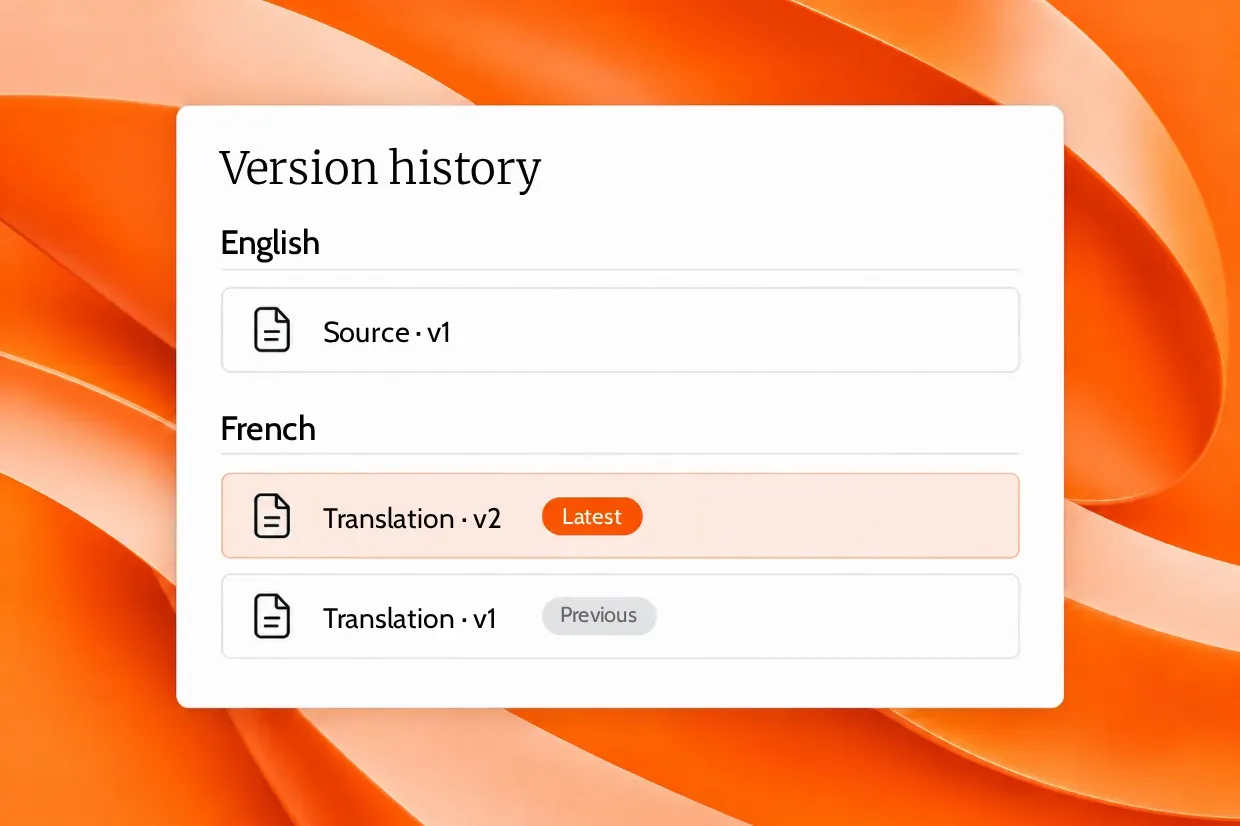
That history also helps when the source changes late. If a name is corrected in the source after some languages were already translated, the creation times show which language versions were made before the correction, and you can tell exactly those owners what to change.
Before you start translating the series
- Build the termbase from the cast list and the client’s glossary.
- Have a specialist check the source version against the picture.
- Decide which languages go through the editor and which through Bulk Translate.
- Name an owner for every language before the first draft exists.
One owner per language
A translated draft is a starting point. Every language needs a specialist who reads it against the picture and decides what works: tone, names, line breaks, reading speed. With twelve languages, the producer’s job is to make sure each of those specialists has the right version and a clear brief.
Each language version can be assigned to an external specialist with a deadline, a note, task permissions and an AI allowance. A single assignment can also cover several language versions for a vendor who works in more than one. Specialists work in the vendor portal, and you follow each language from offered to accepted to finished. Partial submissions mean a specialist can hand in finished versions before the whole batch is done. Your vendor list carries language tags, so finding the right person for each language is a filter rather than a search through old emails.
QC runs on each version with the client’s thresholds, and the settings are saved per file. For a batch coming back from several specialists, bulk SRT QA checks and fixes up to 30 files at once.
Twelve languages are manageable when each one has a name next to it.
Review per language, not per project
Clients reviewing multilingual work usually have a reviewer for each market. Sending each of them the right file, collecting their comments and merging them back was one of the slowest parts of our old workflow.
In clipsubs you share a link to the specific version each reviewer needs. They open it without an account and can review and edit directly. Each link can have its own password and expiry date and can be revoked, and you can see whether it has been opened and edited. The German reviewer sees the German version, and their edits stay with it.
Running review this way also shows where a language is stuck. If one market’s link has been opened but not edited for several days, that is a conversation with one reviewer, not a status email to all twelve. The other eleven languages carry on to export without waiting.
Keeping the thread across episodes
A series comes back. The next batch of episodes arrives with the same characters, the same terms and, ideally, the same specialists. What carries the thread is not a folder of old files but the project setup: the termbase with the names already in it, the target languages, the vendors with their language tags, and every earlier version kept. Videos are deleted after 30 days, but subtitle versions are kept, so the language work stays available as a reference for the next episode.
“A series should get easier with every episode. If it does not, the knowledge is living in someone’s inbox.”
Lauris Zemturis, founder of clipsubs
If you are planning a multilingual series, start with the source and the owners, not the translation engine. The engine produces drafts. The thread is kept by a correct source, one version per language and one person responsible for each.