
Scale changes the plan
A single episode is a craft problem. A back catalogue of several hundred episodes is an operations problem. The skills needed for each line do not change, but everything around them does: how files arrive, how work is queued, how the budget is set and what has to be kept when the job is finished.
In our own back-catalogue work at Linearis, we plan the catalogue as batches rather than as a long list of individual jobs. Steps that take a few minutes per episode, such as uploading, starting a transcription, checking a file against the spec or converting a frame rate, are invisible on one file and enormous across three hundred. Batching them is how a team keeps its specialists on the work only they can do.

- 01 / SOURCEUpload
- 02 / BATCHTranscribe
- 03 / INCOMINGCheck
- 04 / LANGUAGESTranslate
Budget by source minutes
Before any files move, work out the processing budget. In clipsubs it follows the media, so it can be estimated from the catalogue list.
Transcription uses AI hours at 1× the source duration. A hundred one-hour episodes use a hundred hours. AI Resync uses 0.3×, so resyncing a one-hour episode uses 18 minutes. Utility tools, including Bulk Translate, bulk SRT QA, FPS Converter and SRT Merge, use 5 minutes per file. Editing, in-editor translation, QC, Re-split and export are free, so the review your team does is not metered.
Paid plans include a monthly allowance: Starter has 3 hours for €20, Growth 8 hours for €50 and Pro 20 hours for €100. Extra hours cost €7 on Starter, €5.50 on Growth and €4 on Pro, and purchased extra hours never expire. That last point matters for a catalogue, because the work is rarely even. You can buy hours when the batch starts and use them as the episodes move through, without losing what you have not used by the end of the month. For volumes beyond Pro, talk to us with your expected source-media volume.
“Plan a catalogue by its minutes, not its episodes. The minutes are what the budget follows.”
Lauris Zemturis, founder of clipsubs
Upload and transcribe in batches
Group the catalogue into projects that make sense to the people working on it, usually by series or season. A project holds several files with their target languages and file-level progress, so the producer can see which episodes are done without asking.
Upload several videos at once, with files up to 2 GB each. Uploads keep running in the background, and the editor opens only when a file has finished uploading. Before transcribing, assign a project termbase with the series’ names, places and specialist terms, up to 100 terms per list, so every episode in the batch shares the same context. Then run Transcribe All. Processing continues in the background, and an email arrives when a long file is ready.
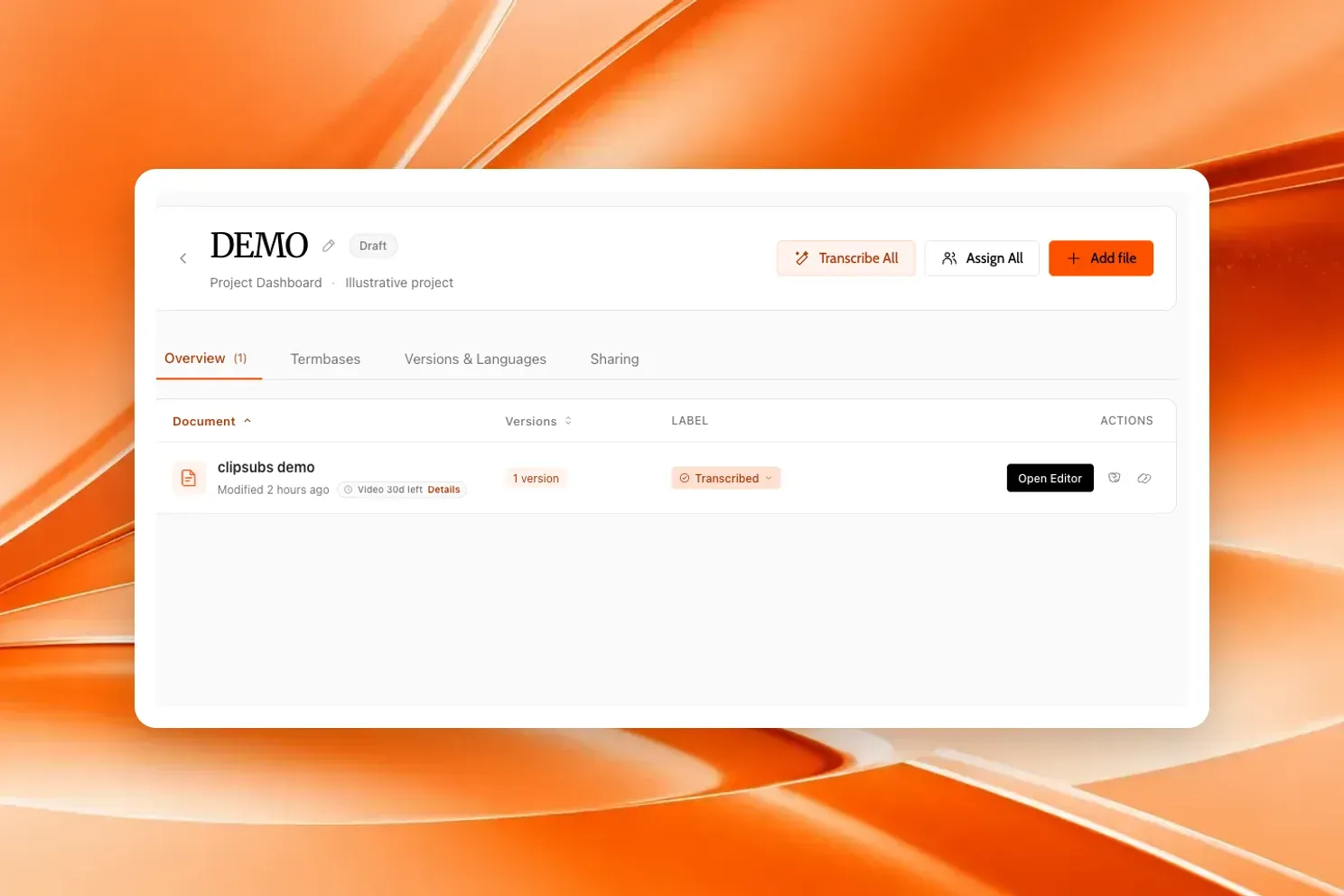
The practical effect is that the queue fills itself. While the specialists review the first episodes, the rest are being transcribed, and nobody spends the morning starting jobs one by one.
Check incoming files in bulk
Back catalogues often arrive with existing subtitle files, from earlier releases or from other vendors, and their quality varies. Before anyone opens them one at a time, give them a technical check as a batch.
Bulk SRT QA checks and fixes up to 30 files at once, with warning thresholds you can adjust to the delivery spec. Run it on an incoming batch, review the results and decide which files only need the remaining issues corrected and which need more work. Keep the final language and client-specification review with the specialists responsible for delivery. A file that passes the technical check can still have the wrong name in every episode, and only a person who knows the series will see it.
Two other utilities help with inherited files. FPS Converter changes subtitle timing between 23.976, 24, 25, 29.97 and 30 fps, or a custom rate, for up to 20 files at a time, and returns them as a ZIP. SRT Merge combines subtitle files from separate parts of a longer video into one timeline, with timing offsets applied automatically. It joins subtitle files, not the videos themselves.
Repair existing tracks instead of redoing them
An old subtitle file that has drifted out of sync is still mostly good work. Retranscribing the episode throws that away.
AI Resync retimes an existing SRT to the audio, adds missed speech and removes subtitles that do not match the audio. At 0.3× the source duration it costs much less than a new transcription, and the original version is kept so the specialist can compare the result. Review the timing and anything that was added or removed before treating it as the delivery version.
When the words are fine but the new client’s spec is different, use Re-split. It rebuilds the lines by sentence or into one, two or three lines, using the character, reading-speed and duration limits you set, and it is free. On a catalogue delivered years ago to a different spec, that alone can save a full manual pass.
Before you start a catalogue batch
- List the episodes with their durations, and total the source minutes.
- Mark which episodes have usable subtitle files and which need transcription.
- Agree the delivery spec, frame rate and formats before any processing runs.
- Decide which batches go to which specialists, and set their allowances.
Translate in batches, review by language
Once the source subtitles are checked, the languages follow. For large batches, Bulk Translate translates up to 20 SRT or TXT files at once into any of 99 languages, at 5 minutes per file. Add custom instructions for tone and terminology, and download the results together as a ZIP. Termbases are not applied to translation, so put the series’ key names and terms into those instructions.
For a single episode inside a project, in-editor translation is free and keeps the translation as a separate language version next to the source. Either way, the translated output is a first pass. Each language still needs a specialist who checks meaning, names, timing and readability before delivery.
Assignments keep that review organised at scale. Give a specialist the exact language version, a deadline, a note, task permissions and an AI allowance, and follow offered, accepted and finished status. A specialist can work on several language versions in one assignment and submit finished versions before the whole job is done.
“Batching is for the machine work. The review still happens one line at a time.”
Lauris Zemturis, founder of clipsubs
What to keep when the batch is done
Every step leaves a named version, grouped by language, with the latest marked and creation and edit times visible. Those subtitle versions are kept. Videos are deleted automatically after 30 days, and each file shows its retention date; keeping a subtitle version does not extend the video’s availability.
For a catalogue, that means planning the media side deliberately. Export the delivery files and download any source video you need for your own records before the retention date. Upload the next batch when the team is ready to work on it, rather than loading the whole catalogue at once and watching the early episodes expire before anyone reaches them.
A catalogue is cleared by a steady rhythm rather than a single push. Upload a batch, let it transcribe, check what arrived, repair what can be repaired, translate, review and deliver. Then start the next one.