
Where sign-off stalls
Many multilingual jobs slow down at the very end. The work is done, the subtitles are checked, and then the client review starts. An export goes out by email. The client opens it in whatever player they have, writes comments in a document or replies with timecodes, and someone on the team copies those changes back into the working file by hand.
Every step in that loop is a chance for drift. In our own client work, comments often referred to a file that had already moved on, or arrived from two reviewers who had each seen a different export.

- 01 / VERSIONChoose
- 02 / ACCESSProtect
- 03 / FEEDBACKReview
- 04 / CLOSERevoke
Share one exact version
In clipsubs, you share a specific version rather than a file or the whole project. Choose the language and the version the client should see, and send a link. You can share straight from the editor. Add a password if the content is sensitive and an expiry date if the review has a deadline. Both are optional.
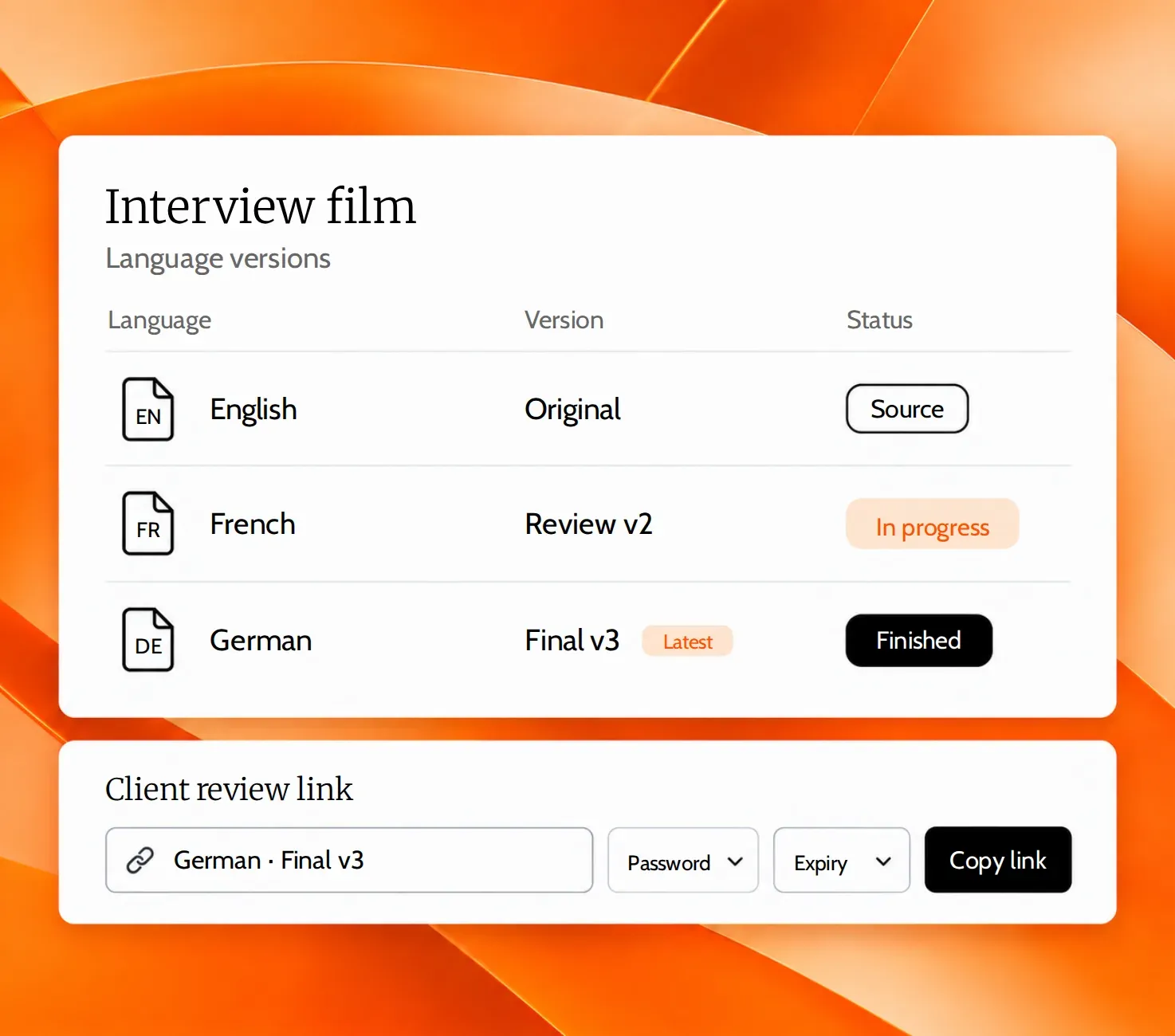
The rest of the project stays out of the way: the source, the other languages, earlier drafts. The client sees the version you meant them to see, rather than whichever export reached their inbox.
Send the version, not a copy of it.
Let the client review without an account
The client does not create an account. They open the link and can review or edit the shared version directly. That matters more than it sounds. Every extra login is a reason to put the review off until tomorrow, and every exported copy is a version you no longer control.
Because the client works in the version itself, their changes stay with it. There is no returned file to merge and no list of timecodes to type back in. You can see whether the link has been opened and whether it has been edited, so you know when to follow up instead of asking if the review has started. Since clients can edit, share the link only with the people intended to work on that version.
Before you send a review link
- Run QC and finish your own review first.
- Choose the exact language version to share.
- Decide on a password and an expiry date.
- Tell the client what to check and by when.
Close the review cleanly
When the review ends, revoke the link. Access stops, and the version stays in the project with the client’s changes in it. Then make your final pass: check those edits against the picture, run QC again in case a change pushed a line over its limit, and export SRT, WebVTT or EBU STL.
On recurring work, keep the routine identical: the same kind of link, the same options, the same expectations in the message. In my experience clients learn the loop after one or two rounds, and the team stops spending the last day of a job reconciling feedback from different files. The review becomes another step in the project rather than a separate exchange that someone has to piece back together.