
Where the hours went
Part of our production work at Linearis is back catalogue: finished episodes, often years old, that need a transcript, timed subtitles, a quality check and a delivery file before they can go out again. It is steady, repetitive work, and it is where we first measured what our tools were costing us.
With the old tool chain, finishing a one-hour episode took four to five hours of specialist time. That figure comes from our own back-catalogue work, not from an industry benchmark, and the interesting part is what filled those hours.
Very little of it was skilled listening. The episode went to a transcription service and we waited. The transcript came back as a file that had to be downloaded, renamed to our convention and imported into a desktop subtitle editor. Its timing rarely matched how we break subtitles, so the specialist retimed large parts of the episode by hand. QC was done by eye, scrolling through the file and checking line lengths and reading speed against the client’s spec one subtitle at a time. Then the file was exported, renamed again, uploaded to a transfer tool and the link emailed, with a row updated in a tracking spreadsheet.
Each step was reasonable on its own. Together they meant a specialist spent most of an episode moving files and doing checks a machine could do.

- 01 / BATCHTranscribe
- 02 / TIMINGAlign
- 03 / FLAGSCheck
- 04 / DELIVERYExport
The chain we use now
Today the same episode goes through one chain in clipsubs. Transcribe All runs the batch in the background. Word-level timing and smart line breaking shape the draft. QC flags anything outside the thresholds from the brief. Re-split rebuilds the line structure where the spec asks for something different. Export produces the delivery file. The specialist still owns every line. What has gone is most of the work between the lines.
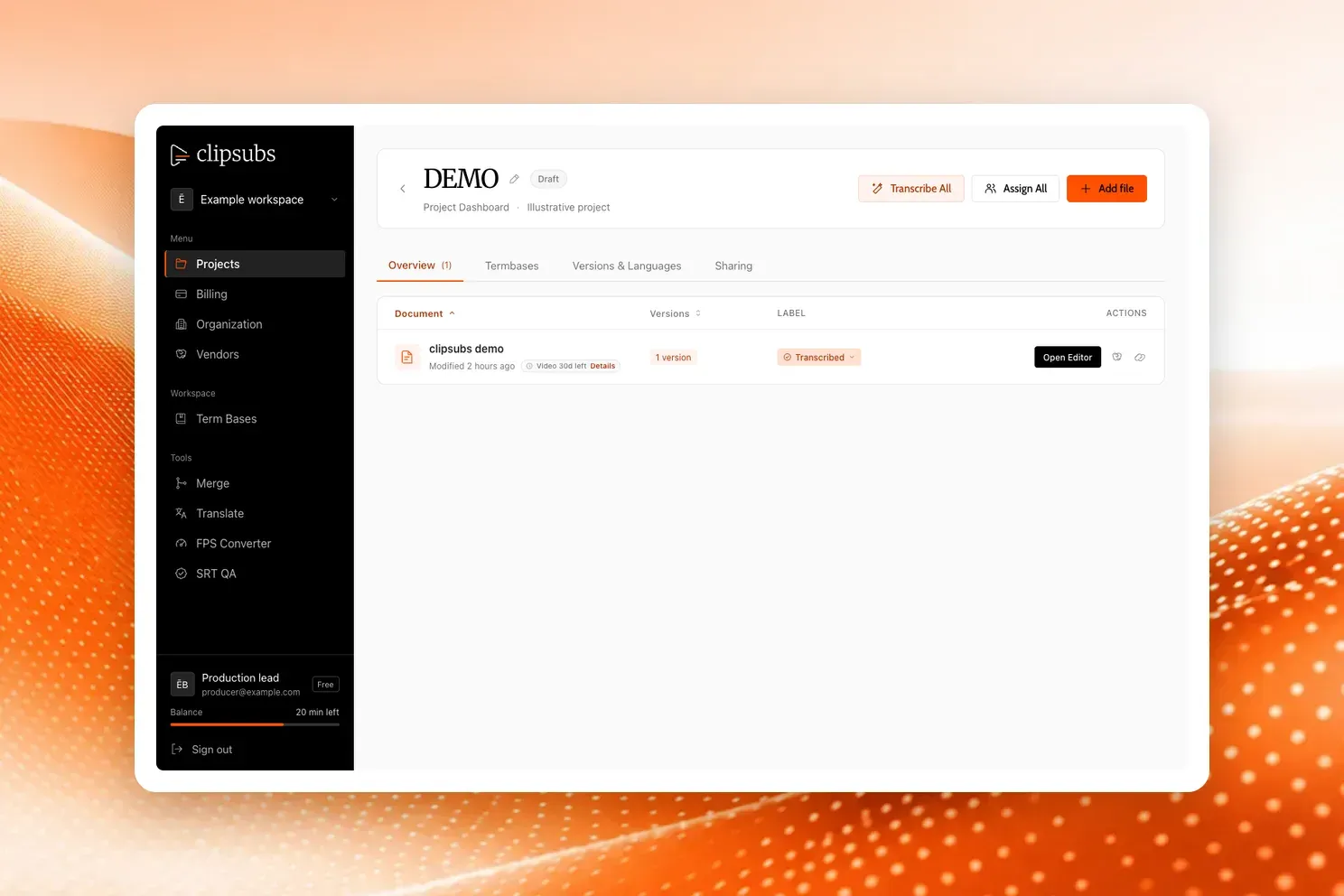
In our own back-catalogue work, that takes up to about 1.5 hours per episode, roughly four times faster than before, at the same quality and with lower vendor costs. The saving does not come from one clever feature. It comes from removing a series of small waits and handoffs, each of which looked too minor to fix on its own.
“We did not find one big saving. We found a dozen small handoffs and removed most of them.”
Lauris Zemturis, founder of clipsubs
Waiting is no longer on the clock
In the old chain, waiting for a transcript was dead time that somebody had to manage. Someone checked whether the file had arrived, downloaded it and passed it on. With a season of episodes, that checking became a job in itself.
Now we upload the episodes for a series into one project, with files up to 2 GB each, and run Transcribe All. Processing continues in the background, and an email arrives when a long file is ready. The specialist starts on the first episode while the rest are still being processed, so the queue is ready before they reach it.
There is no download, rename or import step either. The transcript opens in the editor as a named version of that file, next to the video. Before the batch runs, we add the series’ recurring names, places and specialist terms to a project termbase, up to 100 terms per list, so the first draft already spells the presenter’s name correctly. Termbases guide transcription; they are not applied to translation.
Transcription uses AI hours at 1× the source duration, so a one-hour episode uses 60 minutes. That is the main processing cost of a back-catalogue episode, and it is predictable before the work starts.
A timing first pass worth keeping
Retiming was the largest single block of specialist time in the old chain. A transcript without usable timing is only half a starting point.
The clipsubs draft carries word-level timing, so every word is tied to the moment it is spoken. Automatic timing cleanup and smart line breaking then prepare the segmentation, which means subtitles start and end close to the speech and break at sensible points. The specialist adjusts rather than rebuilds: zooming the waveform, dragging a boundary, snapping to the playhead, nudging a subtitle by 100 ms or shifting a whole passage together.
When a client’s spec asks for a different structure, Re-split rebuilds the lines by sentence or into one, two or three lines, using the character, reading-speed and duration limits we set. Re-split is free, and the original version is kept, so the specialist can compare the result with what was there before.
QC that starts from the brief
Checking by eye is slow, and it is uneven. A careful specialist at the start of the day and the same specialist at the end of it do not catch the same things.
QC in clipsubs has eight adjustable checks: short and long duration, total and per-line length, line count, reading speed, early starts and formatting. It also detects overlaps. The defaults are broadcast-style, 37 characters per line, 2 lines and 20 characters per second, and we change them to match each client’s brief. QC settings are saved for each file, so two clients with different rules can sit in the same week’s work without anyone resetting thresholds.
The specialist jumps from one flagged subtitle to the next, decides whether the flag matters, and either edits the line or applies the one-click auto-fix and checks the result. QC inside the editor is free, so there is no reason to skip a pass.
“A check that runs every time is worth more than a careful one that runs when someone remembers.”
Lauris Zemturis, founder of clipsubs
Why quality held
Speed is easy to buy if you lower the bar. We did not, and the reasons are structural rather than a matter of trying harder.
A specialist still reviews every line against the picture. AI output is a draft, and we treat it as one: names, meaning, timing and readability are checked by a person before anything leaves the project. What changed is where their attention goes. They are no longer spending it on line counts and reading-speed arithmetic, because QC does that against the client’s thresholds every time.
The technical floor is also the same for every episode and every specialist, because the thresholds come from the brief rather than from memory. And every step leaves a named version, so if a Re-split or an auto-fix produces something worse, the earlier version is still there to compare and recover.
Before you measure your own chain
- Time one real episode from source file to delivered file, not just the editing.
- Write down every export, rename, upload and email along the way.
- Note which checks are done by eye and which against written thresholds.
- Mark where the specialist waits for something they cannot control.
Why vendor costs fell
The main reason is simple. We pay specialists for their time, and each episode now needs much less of it. When an episode takes up to about 1.5 hours instead of four or five, the cost of the same delivery falls with it.
The way we assign work helps as well. A vendor receives the exact version they need to finish, with a deadline, a note, task permissions and an AI allowance, and works in the vendor portal rather than receiving files by email. The allowance is 15 minutes by default, and a vendor can choose whether to use our organisation’s hours or their own. For a specialist refining a transcribed draft, editing, in-editor translation and QC are free, so the default is often enough. Team workspaces have no seat limits, so adding a freelancer for one series does not add a licence to the bill.
What I would take from our experience is not the ratio itself. Your episodes, specs and people are different from ours. Take one real episode, time every step, and look at how much of it is skilled work. That is the part worth keeping, and in our case it was the smaller share.